What to expect from school management software, and how to prepare before going live
Selecting a school management system is more than just a technology upgrade. It impacts nearly every aspect of school operations — from academics to admin workflows, financial processes, parent communication, and long-term strategic goals.
Yet, many schools underestimate the preparation required to make the right choice and ensure successful adoption.
This guide offers practical insights and research-backed data to help schools:
- Understand what a modern School ERP should offer
- Prepare their processes, people, and data
- Decide between an immediate go-live vs. parallel deployment
- Implement smoothly with minimal disruption
1. What Schools Should Expect from a Modern School Management System
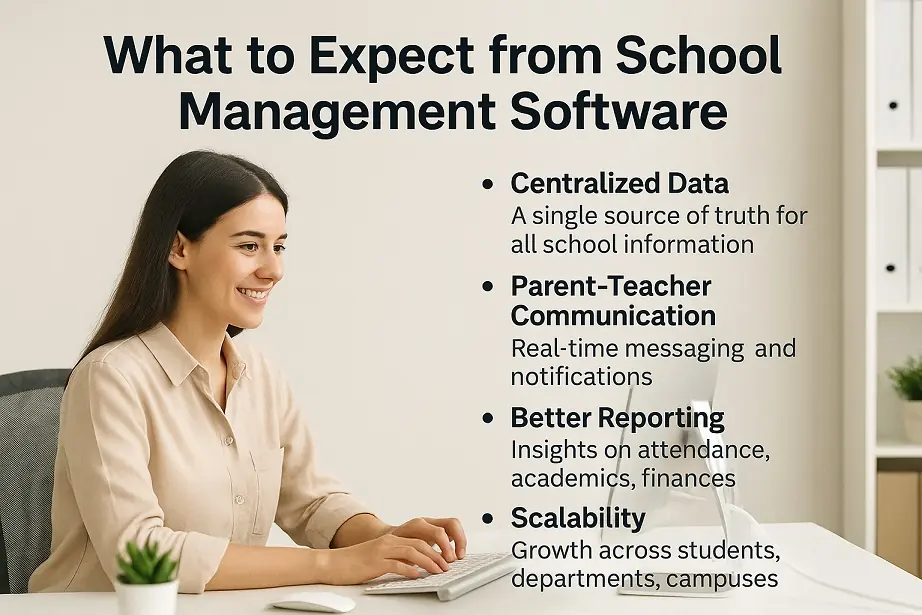
a) Centralized, Accurate, Real-Time Data
Modern school ERPs unify all core functions — admissions, attendance, fee management, exams, communication, HR — into a single platform.
Research Insight:
According to a 2023 report by Education Horizons, schools that adopted fully integrated systems experienced a 35–40% reduction in manual administrative workload due to reduced duplication and improved data access.
What to expect:
- A single source of truth for all departments
- Fewer spreadsheets and manual reconciliations
- Role-based dashboards for admins, teachers, students, and parents
- Real-time access to student records and operations
b) Seamless Parent–Teacher–School Communication
Strong communication features are one of the most cited indicators of ERP success.
Data Point:
A 2024 survey by EdTech Evidence Exchange found that 79% of schools rated their ERP favorably when it improved parent-teacher communication.
What to expect:
- Mobile app + web portal access for all users
- Push notifications (attendance, exams, dues, announcements)
- Multi-language support for diverse communities
- Secure two-way communication logs for transparency
c) Automation of Repetitive Admin Tasks
Automating repetitive tasks allows staff to focus on academic excellence.
Stat:
Schools that automate processes like attendance, fee invoicing, and exam reports report a 30–50% increase in administrative efficiency (Source: EdWeek Market Brief, 2024).
Automate tasks such as:
- Daily attendance with alerts
- Timetable scheduling and conflict checks
- Fee reminders, invoices, late fees
- Exam result generation and digital report cards
d) Better Reporting & Actionable Insights
Today’s ERP systems go beyond dashboards — they offer real-time analytics to improve school performance.
Research Insight:
A 2023 ISTE study found that schools using analytics-driven ERPs saw a 22% improvement in decision-making speed and 18% better academic tracking outcomes.
Insights to expect:
- Attendance trends & absenteeism alerts
- Fee collection vs. dues
- Student academic performance metrics
- Teacher workload analytics
- Department-wise performance
e) Scalability & Long-Term Compatibility
A modern ERP must scale with the school’s growth and evolving structures.
Example:
Platforms like SchoolAdminCE support multi-campus schools, semester systems, and integrations with accounting, transport, biometrics, and LMS platforms.
Your ERP should support:
- Growing student population
- Multi-campus operations
- Semester/yearly academic models
- Third-party integrations
- Cross-device usability (mobile, desktop, tablets)
2. What Schools Must Prepare Before Choosing an ERP
According to a 2024 K-12 EdTech Readiness Study, 62% of failed ERP projects were due to poor internal preparation — not software limitations.
Here’s how to ensure your school is ready:
a) Map Current Academic & Admin Workflows
Before evaluating ERPs, document:
- Admission processes
- Attendance policies
- Fee structures & concession rules
- Exam formats & grading styles
- Role-based responsibilities
- Report requirements (internal, board, government)
b) Form an Internal “ERP Committee”
Involve stakeholders to ensure system compatibility and smoother adoption:
- Principal or Head of School
- Fee/accounts officer
- Senior teachers from each department
- IT staff or consultant
- (Optional) Parent representative
This group will review, test, and validate ERP features during the selection and pilot phase.
c) Clean & Organize Your Data
Data quality = ERP success. Prepare:
- Updated student and staff databases
- Clean parent contact details
- Standardized fee and scholarship records
- Historical academic data
- Consistent naming conventions
Tip: Clean data reduces migration errors and saves 20–30% of onboarding time (Source: School CIO Journal, 2024).
d) Set Clear ERP Goals for First 3–6 Months
Define success upfront. Examples:
- 100% digital attendance
- Reduce fee collection delays by 25%
- Generate exam reports within 24 hours
- Boost parent portal engagement
e) Prepare Your Team for Digital Change
ISTE reports that early teacher involvement leads to a 70% higher rate of successful tech adoption.
Do this:
- Run pre-launch orientation sessions
- Offer role-based hands-on training
- Set expectations and timelines
- Provide ongoing support
3. Should You Go Live Immediately or Run a Parallel ERP?
Option 1: Immediate Go-Live
Best for:
- New schools
- Schools with no ERP
- Simple workflows
Pros:
- Faster transformation
- No duplicate work
- Quicker learning curve
Cons:
- Risky if processes are unclear
- Errors can disrupt operations
Option 2: Parallel Implementation (Recommended for Most Schools)
Research shows parallel implementation reduces ERP failure risk by 60% (EdTech Implementation Studies, 2023).
Best for:
- Established schools
- Migrating from an old ERP
- Complex workflows
- Schools unsure of readiness
Pros:
- Compare old vs. new system
- Spot gaps or bugs before full transition
- Staff has time to adapt
Cons:
- Temporary extra effort
- Requires discipline and tracking
Best Practice:
Run parallel for 30–60 days, then fully migrate once confident.
4. Best Practices for a Smooth ERP Implementation
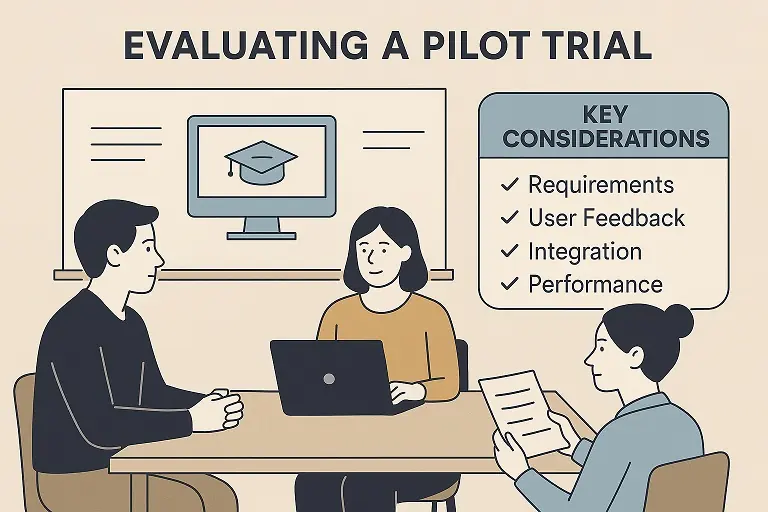
- Start with a pilot section or department
- Use a free 50-student trial (like SchoolAdminCE offers)
- Assign “Super Users” for each area
- Conduct weekly review meetings during rollout
- Gather and act on early feedback
- Scale gradually after initial success
5. Why SchoolAdminCE Makes ERP Rollout Easier
Built with 15+ years of school ERP expertise
Free pilot for up to 50 students
Intuitive onboarding
Ideal for small and large institutions
Strong modules for communication, fees, and reporting
Available in India and Africa with Education board Requirements.
Proven go-live and parallel migration strategies
“SchoolAdminCE was instrumental in digitizing our operations within 60 days — with minimal disruption.” — Principal, Sunrise Public School
Final Thoughts
Choosing the right school management system is a critical decision — but with proper expectations and preparation, it can dramatically improve school efficiency, staff satisfaction, and student-parent engagement.
Know what to expect from modern ERPs
Prepare data, workflows, and staff early
Choose a launch strategy aligned to your readiness
Test using a free pilot before full-scale rollout
With tools like SchoolAdminCE, schools can digitize at their own pace — and set a foundation for long-term excellence.
Suggested Reading
- EdTech Implementation Trends 2024 – EdWeek
- Digital Transformation in K-12 Education – ISTE
- School ERP Adoption Best Practices – Education Horizons Group
- K-12 Technology Readiness Report – EdTech Magazine