
School ID cards, designed and printed in your own office
Pick a ready design, add your logo and students, and print on your ID card printer or on A4 sheets. IDStudio is MarvelSoft’s online ID card tool: nothing to install, no print shop, no files sent back and forth.
Open at idstudio.marvelsoft.co.in · Read the guide
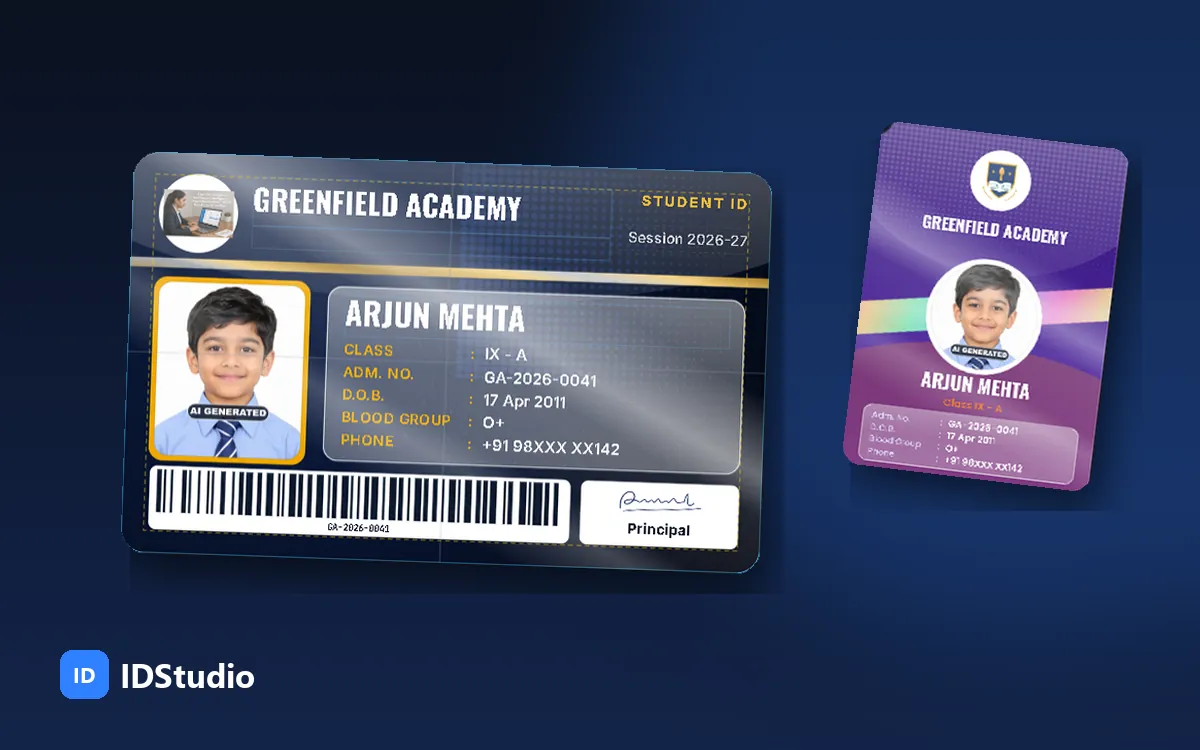
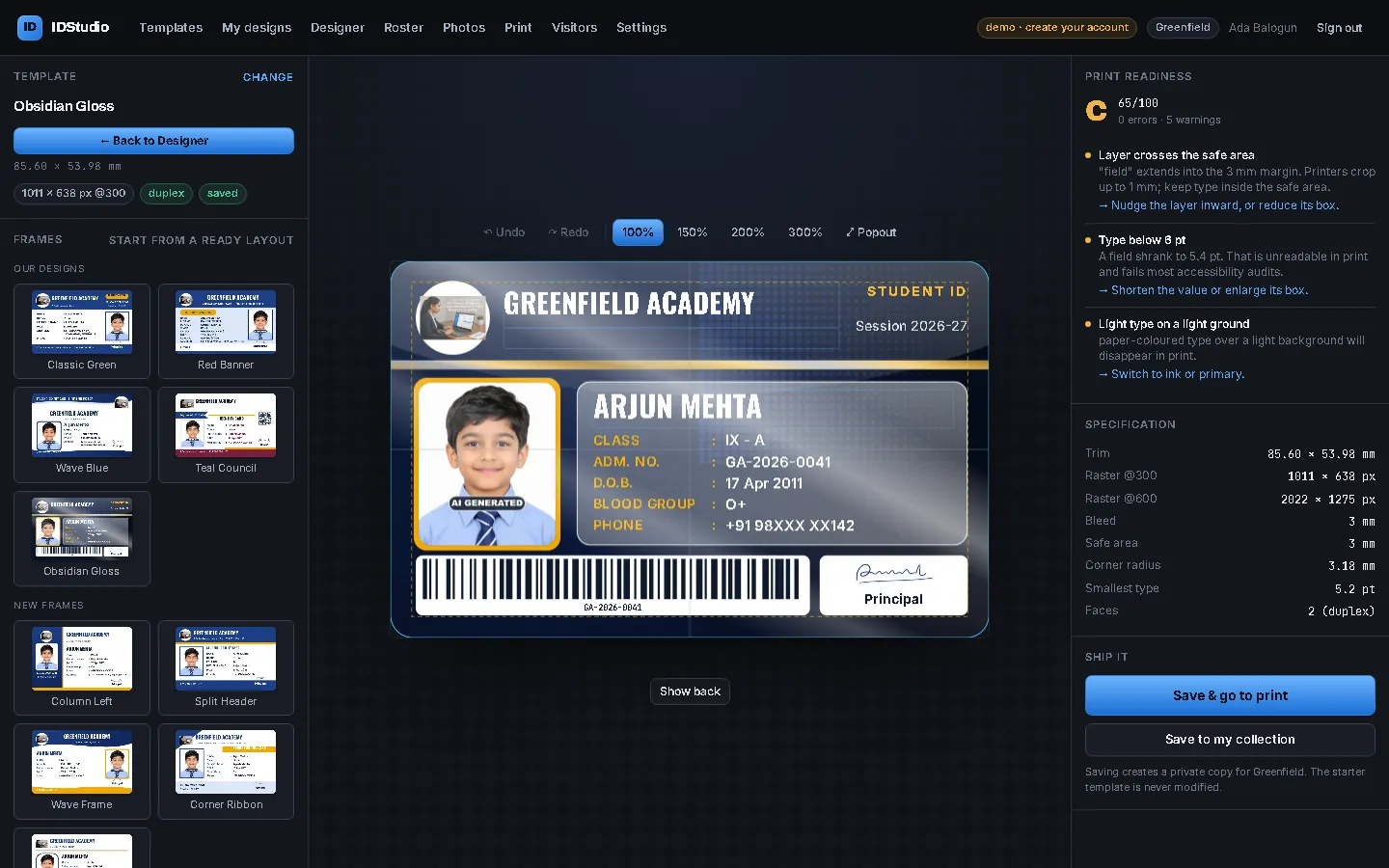
What IDStudio looks like
Screens from the IDStudio demo school, with made-up students. Phone numbers are masked.
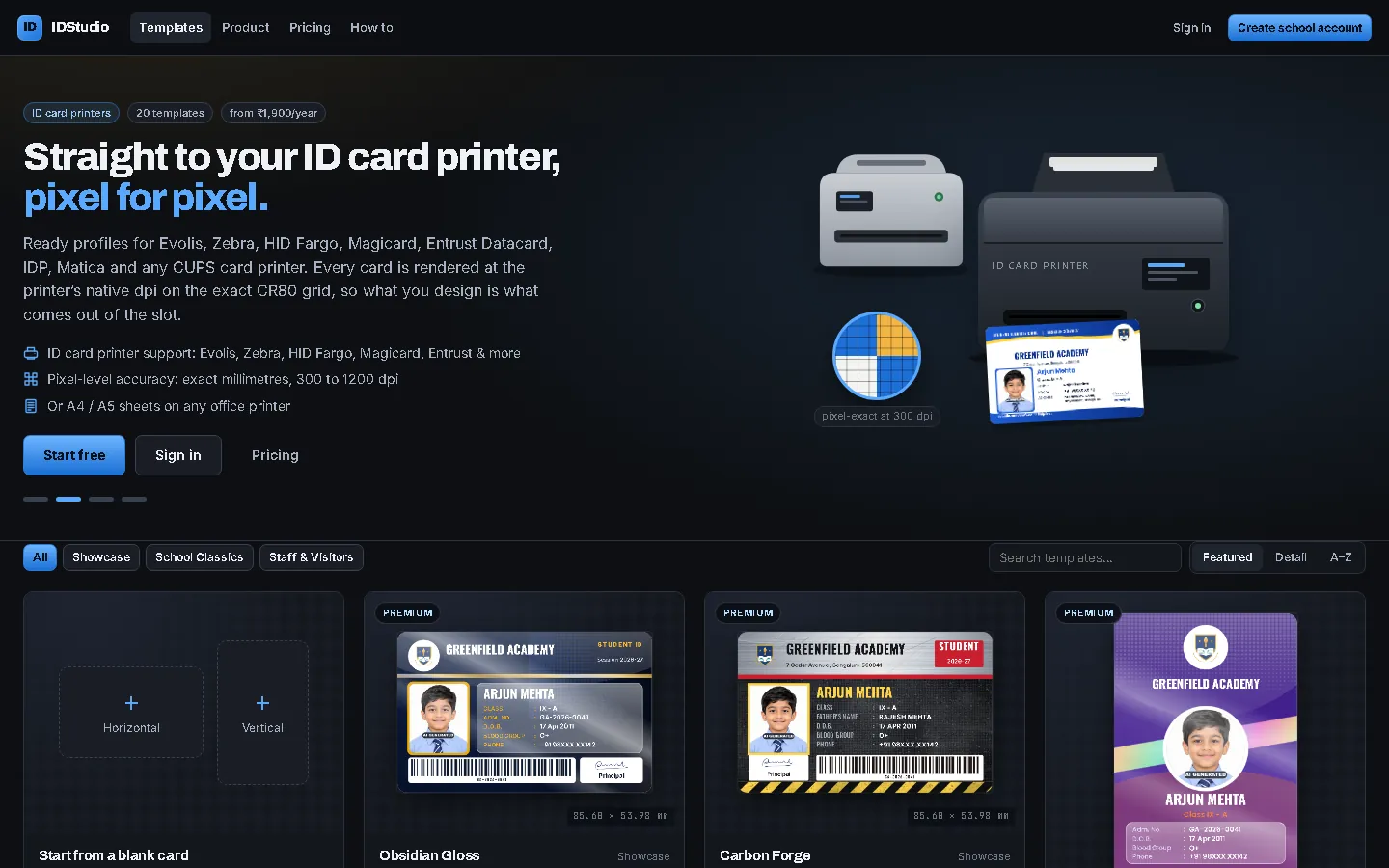
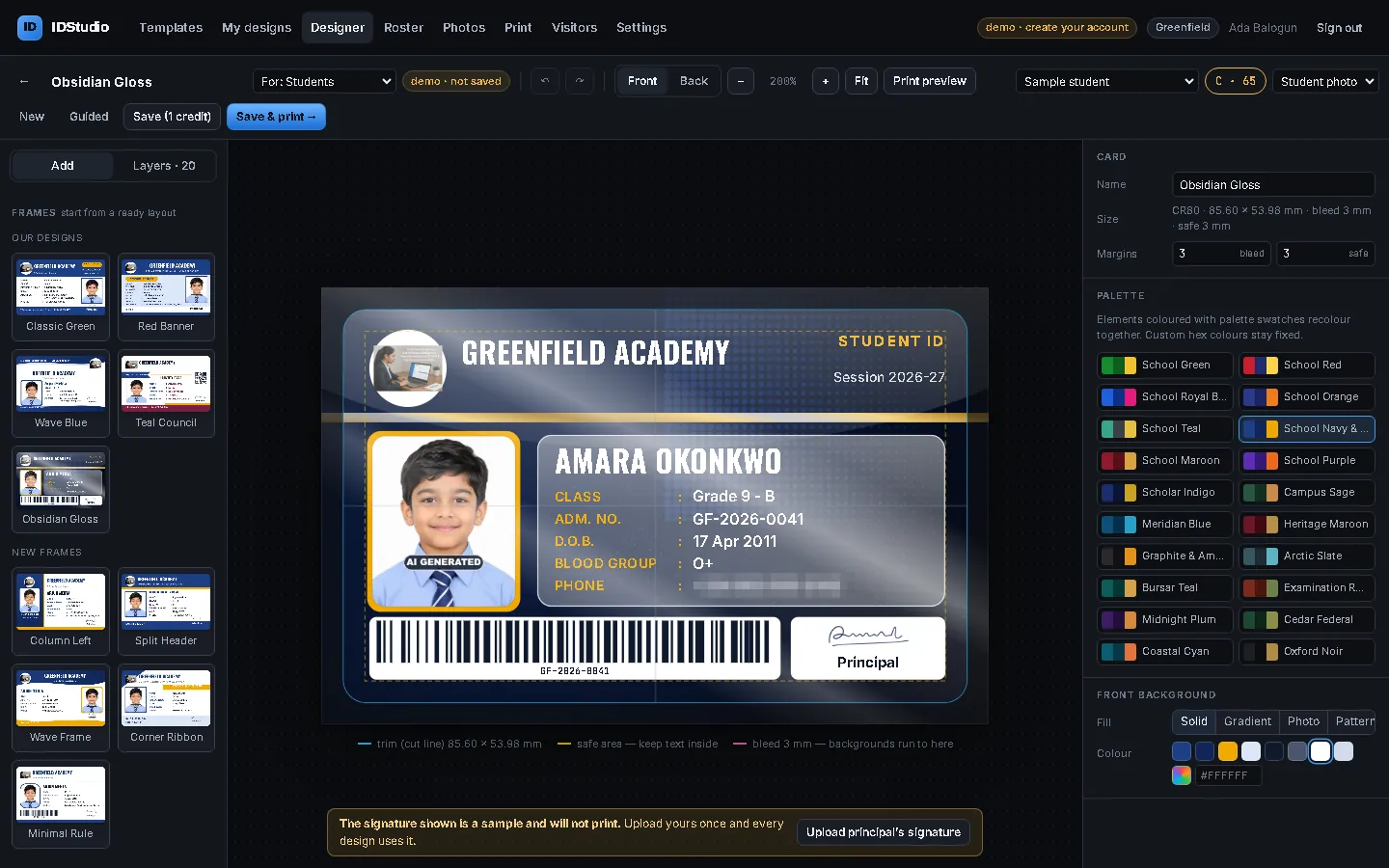
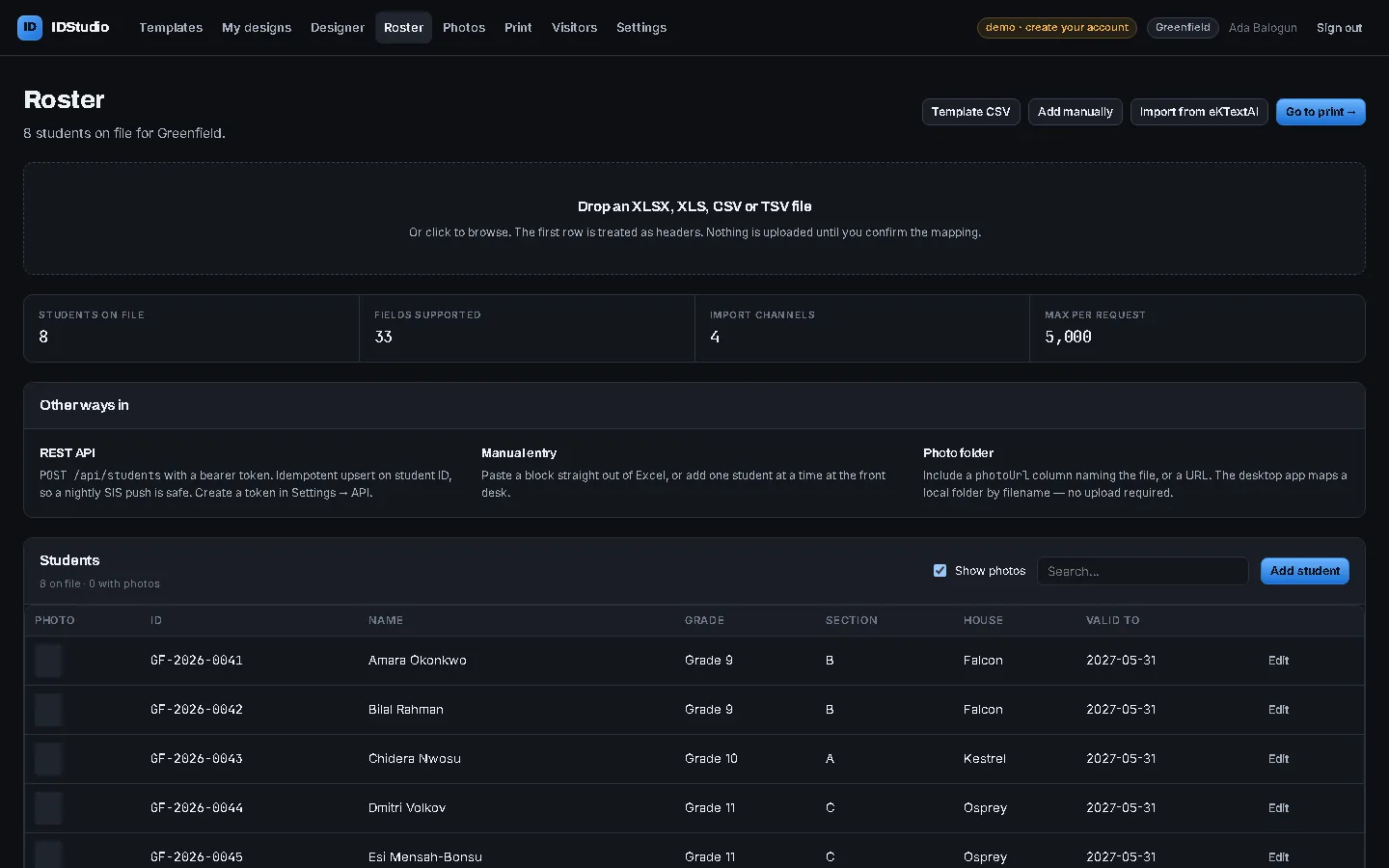
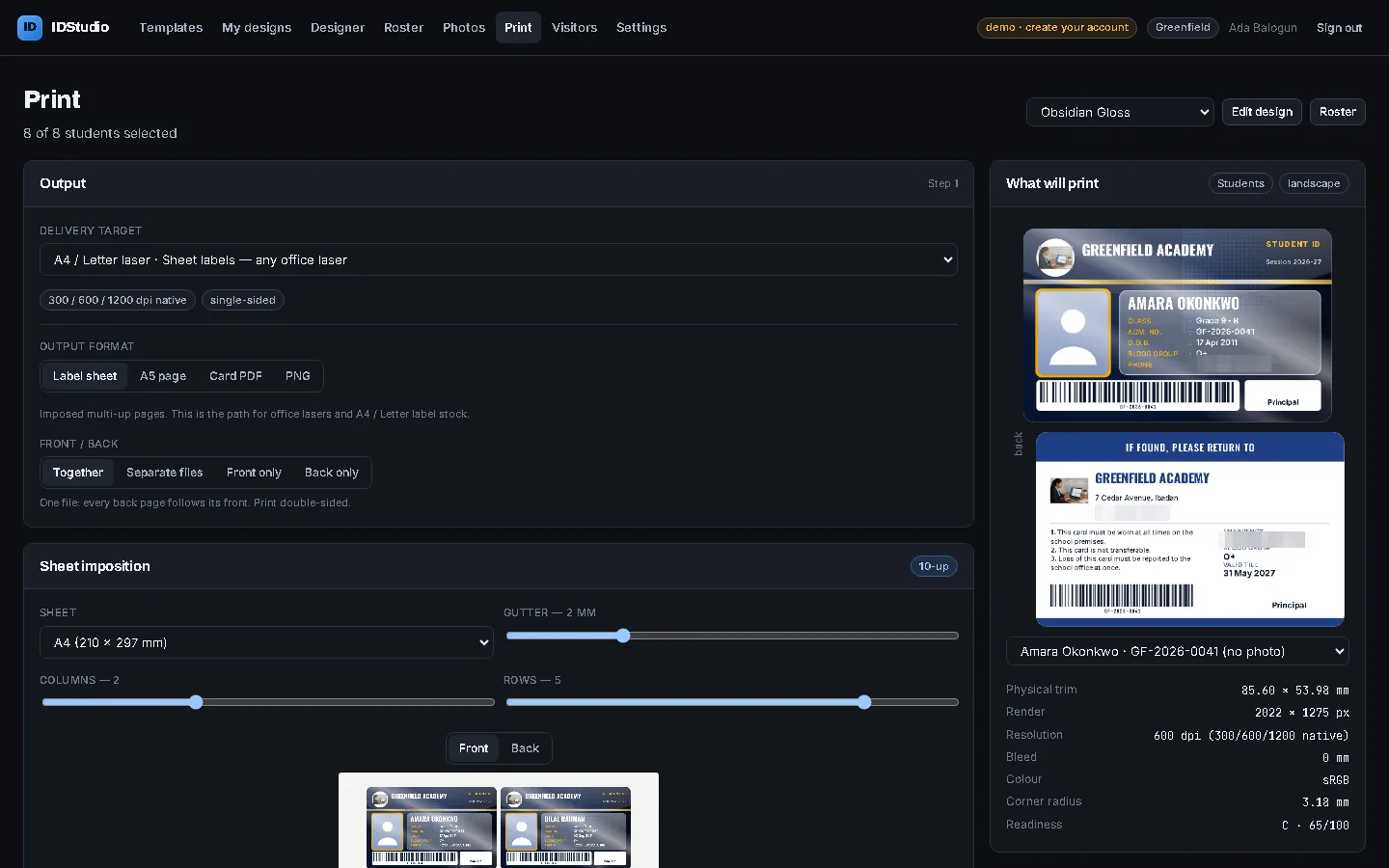
Everything a school needs for its ID cards
The school office does it all, from the first design to the last reprint.
20+ ready designs
Student, staff and visitor cards, landscape or portrait, front and back. Or start from a blank card.
Your school’s look
Logo, principal’s signature and school colours; one click recolours a design to your palette.
Exact card size
CR80 (85.60 × 53.98 mm) with trim, bleed and safe-area guides, so nothing gets cut off.
Print check
A print score warns about tiny text, text outside the safe area and light text on light backgrounds.
Barcode and QR code
From the admission number, so the same card works at the library desk in SchoolAdminCE.
Student import
Excel or CSV, eKTextAI, or SchoolAdminCE through eKTextAI. Add or correct one student at the desk.
Photos
Upload a folder of photos matched by file name, or add one photo at a time. Photos stay on your computer.
Card printers and A4
Evolis, Zebra, HID Fargo, Magicard, Entrust Datacard, IDP, Matica, or 10 cards to an A4 sheet.
Visitor passes
Type the visitor’s details, press Enter and hand over the pass. Nothing about the visitor is kept on the server.
Designer and Printer logins
The designer publishes; the print room downloads, prints and fixes a student or photo, without touching the design.
Online, any computer
Runs in the browser at idstudio.marvelsoft.co.in. No install, no updates to run.
Automatic licence
Pay on IDStudio by card, UPI or net banking and the licence switches on at once.
Six steps to cards in hand
- Create the school account on IDStudio: name, address, logo and the principal’s signature.
- Choose a design from the gallery, or start blank.
- Make it yours in the Designer: colours, fields, front and back.
- Add students from Excel, eKTextAI or SchoolAdminCE, or one at a time.
- Add photos: a folder at once, or one by one.
- Print on the card printer, on A4 sheets, or save a PDF.
Pricing
One yearly price per school. Buy on IDStudio; the licence switches on as soon as you pay.
| Free trial | Annual licence | Design pack | |
|---|---|---|---|
| Price | ₹0 | ₹1,900 + ₹342 GST = ₹2,242 a year | ₹500 + ₹90 GST = ₹590 |
| Designs | 5 | 25 | 25 more, for the rest of the year |
| Printing | 2 print runs | Unlimited | Unlimited |
| Students | Up to 50 | Unlimited | Unlimited |
| Start free | Buy on IDStudio | Buy a pack |
Also on the MarvelSoft eStore. Full product details at marvelsoft.co.in.
ID cards inside SchoolAdminCE
SchoolAdminCE prints student and employee ID cards from its own records, in horizontal or vertical layouts, with fields such as the mother’s name, and a barcode and QR code from the admission number. Photos come from the webcam photo manager.
Use IDStudio alongside it when you want modern designs, card-printer settings, visitor passes or a separate print-room login. Students move across through eKTextAI, so nothing is typed twice.
Admissions and student records · Barcodes and QR codes on student cards
Read the guide
How a school office goes from a blank account to a box of printed cards in an afternoon, with screens from IDStudio.
Related
Questions about ID cards
Which ID card printers does IDStudio work with?
We already use SchoolAdminCE. Do we need IDStudio?
Where are student photos kept?
How do we buy, and how fast does it start?
What does it cost?
Print your first ID card today
Open IDStudio, pick a design and try it free: 5 designs, 2 print runs, up to 50 students.