School ID cards in an afternoon: design and print them in your own office with IDStudio
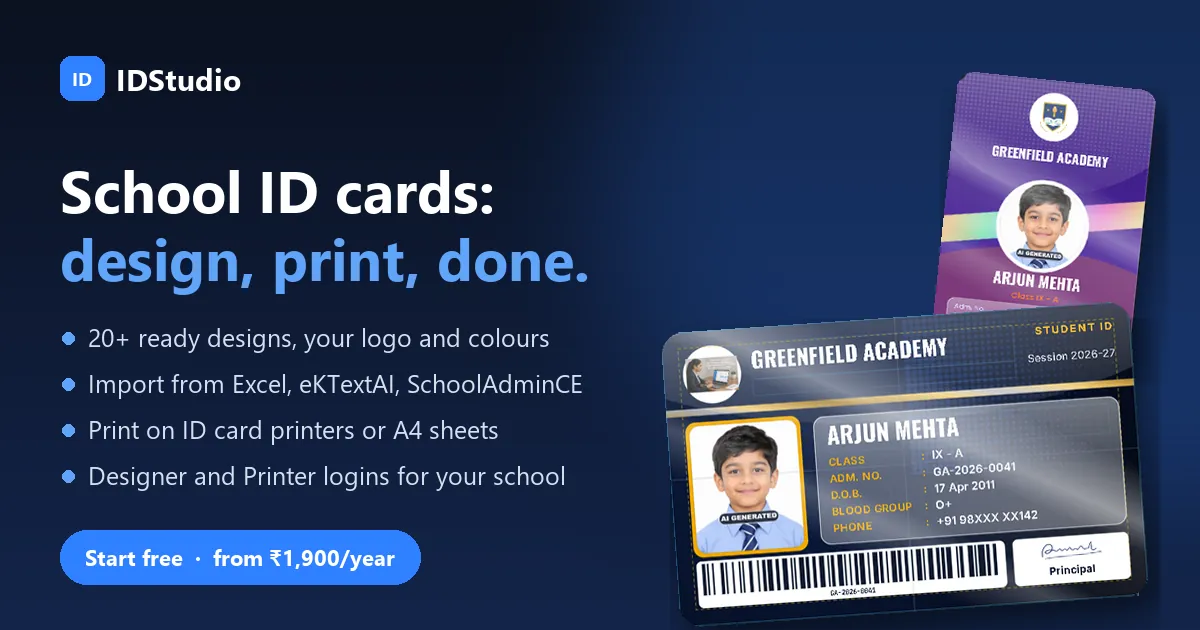
Every June the same job lands on the school office: new ID cards for the whole school. Usually that means collecting photos, sending a spreadsheet to a print shop, waiting a week, finding three spelling mistakes and one wrong photo, and waiting again. IDStudio, MarvelSoft’s new online ID card tool, lets the office do it all in-house, in an afternoon, on the printer it already has.
Here is how it works, screen by screen. Every picture below is from the IDStudio demo school, with made-up students and phone numbers masked.
1. Start from a design that already looks right
Open idstudio.marvelsoft.co.in and you land on the design gallery: more than 20 ready cards for students, staff and visitors. There are the classic school styles parents expect, and modern ones with gloss, carbon and holographic finishes. Each comes in landscape or portrait, with a front and a back.
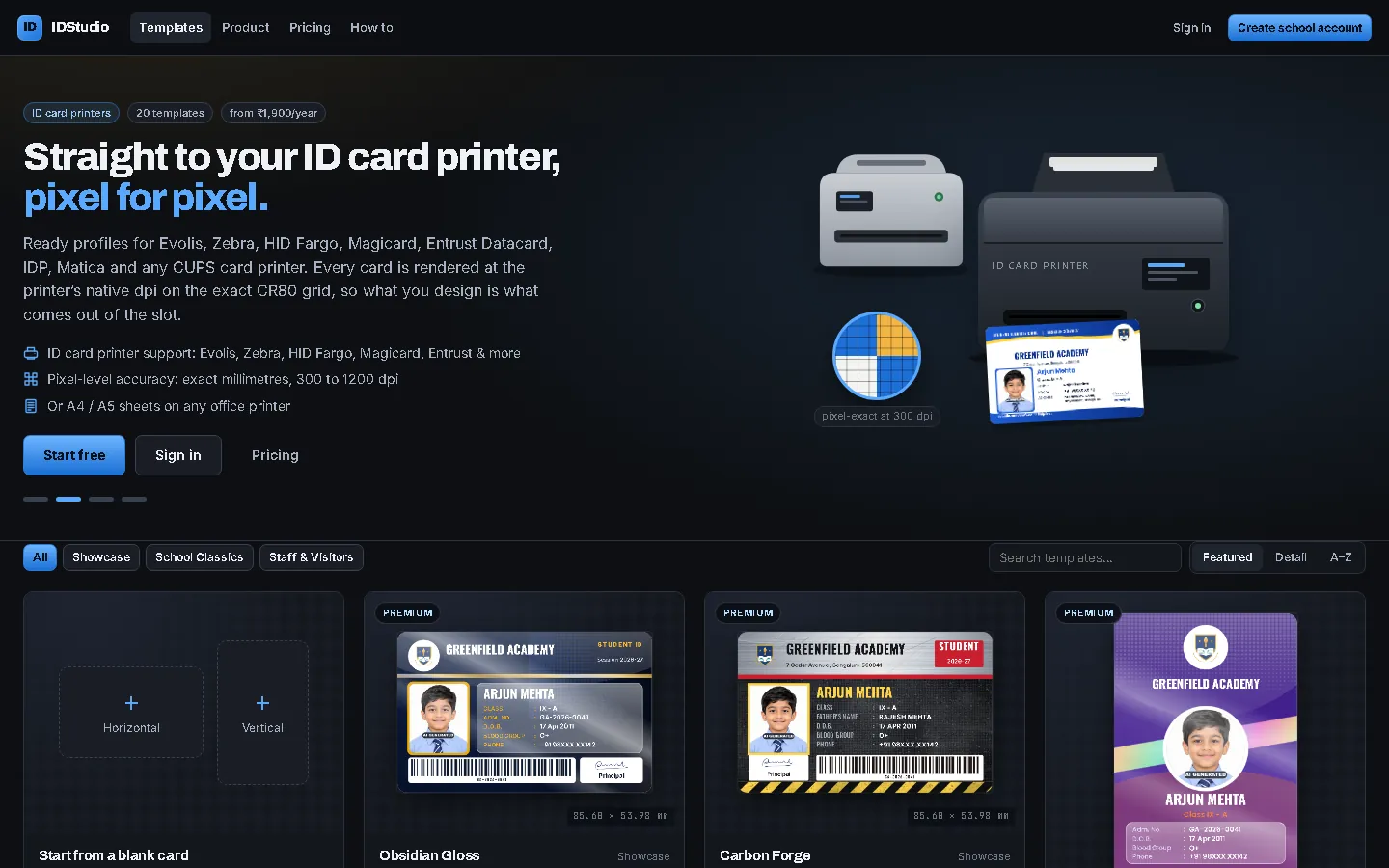
Value: no designer to hire and no blank page. Pick the design closest to what you want and change only what you need.
2. Make it your school’s card
Create the school account with your school name, address, logo and the principal’s signature, and they appear on every design. In the Designer, one click on a school palette recolours the whole card: school green, royal blue, maroon, navy and gold, and more. Move a field, change a font, add a barcode or QR code made from the admission number, and see a real student’s card as you go.
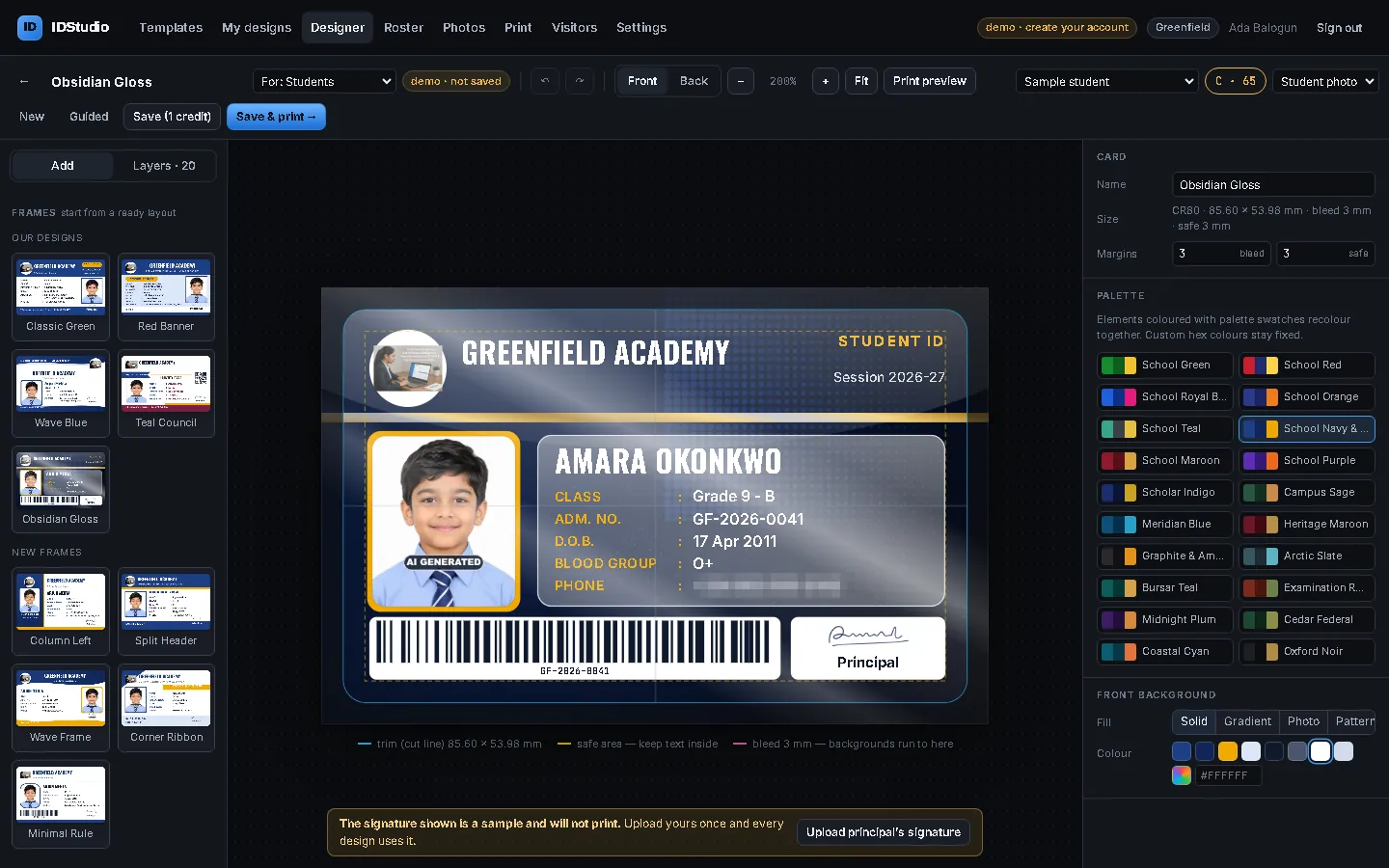
The dashed lines on the card are the trim, the bleed and the safe area. The card is the exact CR80 size (85.60 × 53.98 mm) used by every card printer, so what you see is what comes out of the slot.
3. Catch the mistakes before you print
Every design gets a print readiness score. IDStudio warns when text is too small to read, when a field runs outside the safe area where a printer may cut it, or when light text sits on a light background, and offers a one-click fix for each. When you save, IDStudio keeps your own copy; the starter design is never changed.
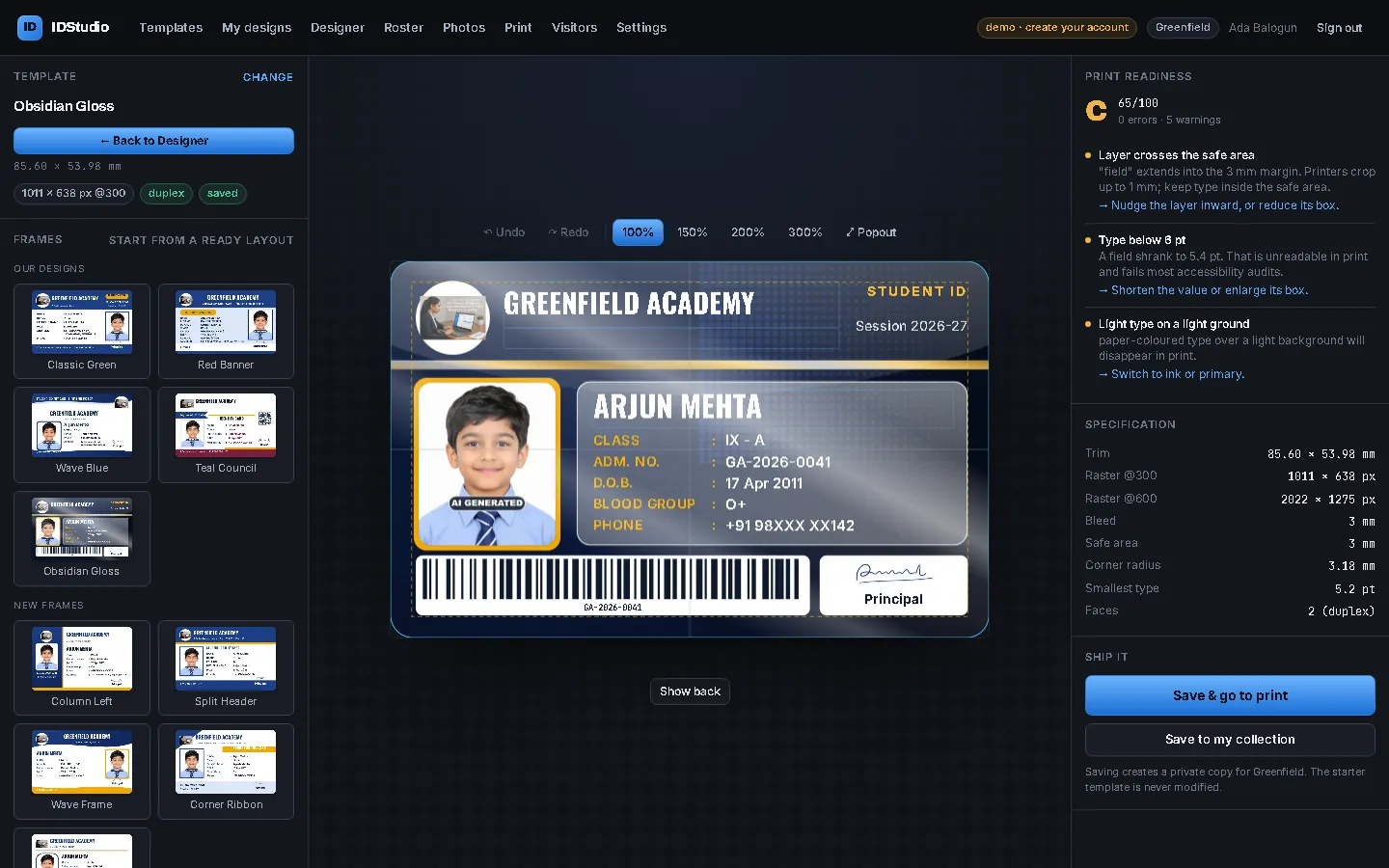
Value: no wasted PVC cards. The problems a print shop would find after printing are found before.
4. Bring in the whole school
On the Roster page, drop in an Excel or CSV file. IDStudio reads the first row as headings, shows you how it matched each column, and uploads nothing until you confirm. Schools on eKTextAI import with one button, and SchoolAdminCE schools bring their active students across through eKTextAI, so nothing is typed twice.
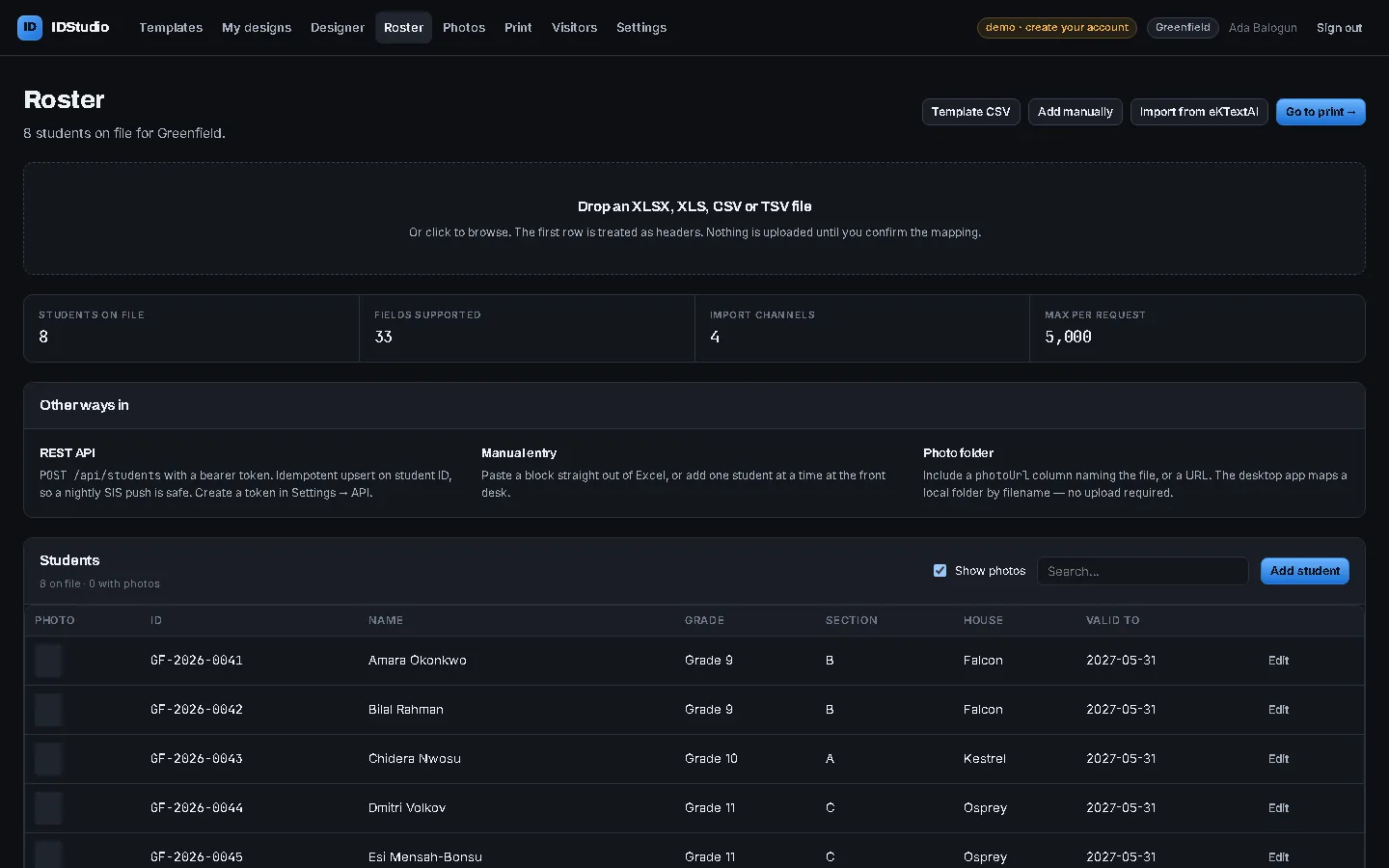
A new admission in July, or a misspelt name? Add student or Edit fixes one record and its photo in seconds. Photos can be uploaded as a folder matched by file name, or one at a time, and they stay in the browser of the office computer: they are not stored on our server.
5. Print on what you already have
The Print page has ready settings for Evolis, Zebra, HID Fargo, Magicard, Entrust Datacard, IDP, Matica and other card printers, and draws each card at the printer’s own resolution, 300 to 1200 dpi. No card printer? Print 10 cards to an A4 label sheet on any office laser, front and back, or save a card PDF or PNG files for a print shop.
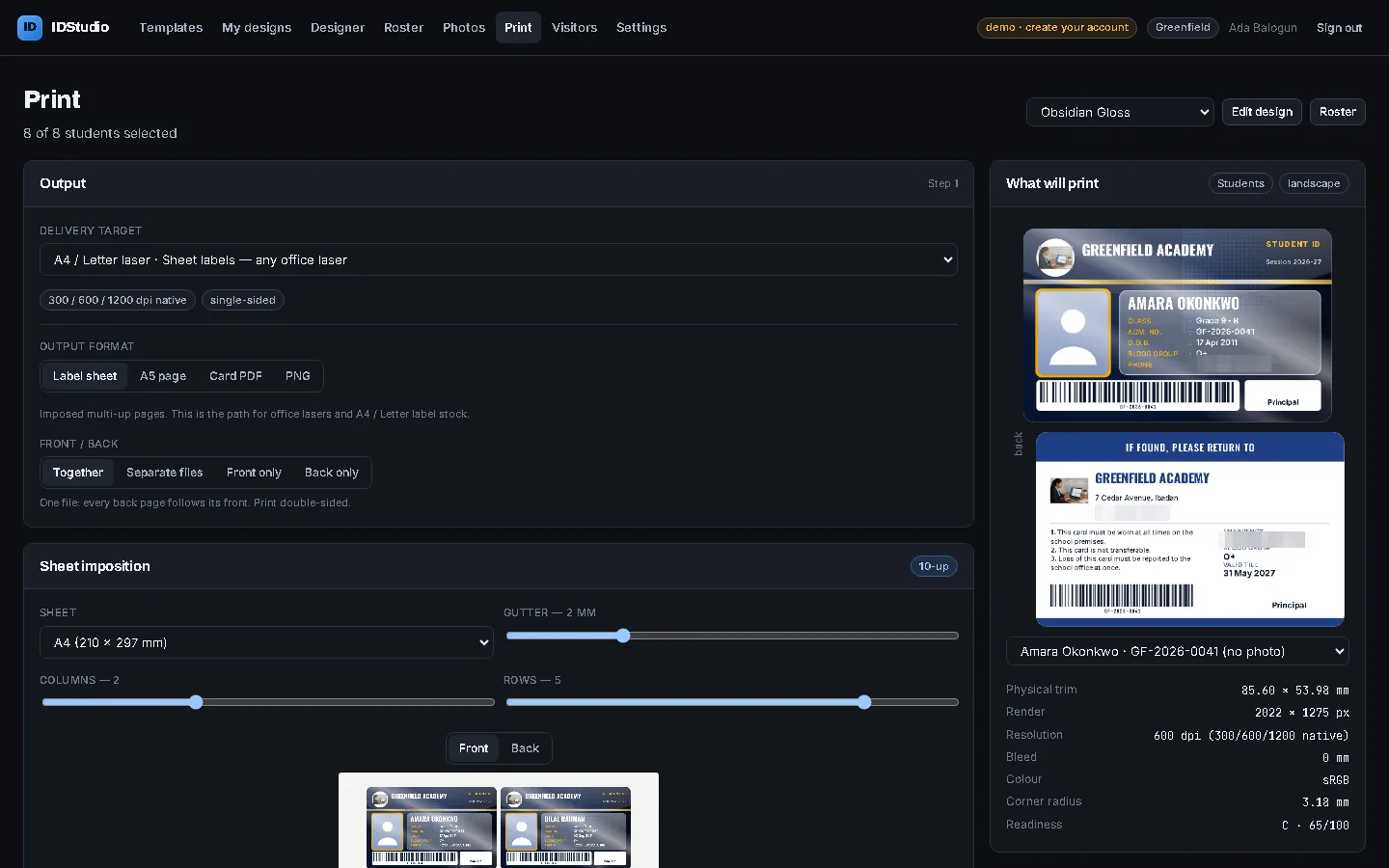
Value: reprint one lost card in a minute instead of waiting for the next print-shop batch.
6. Visitor passes at the gate
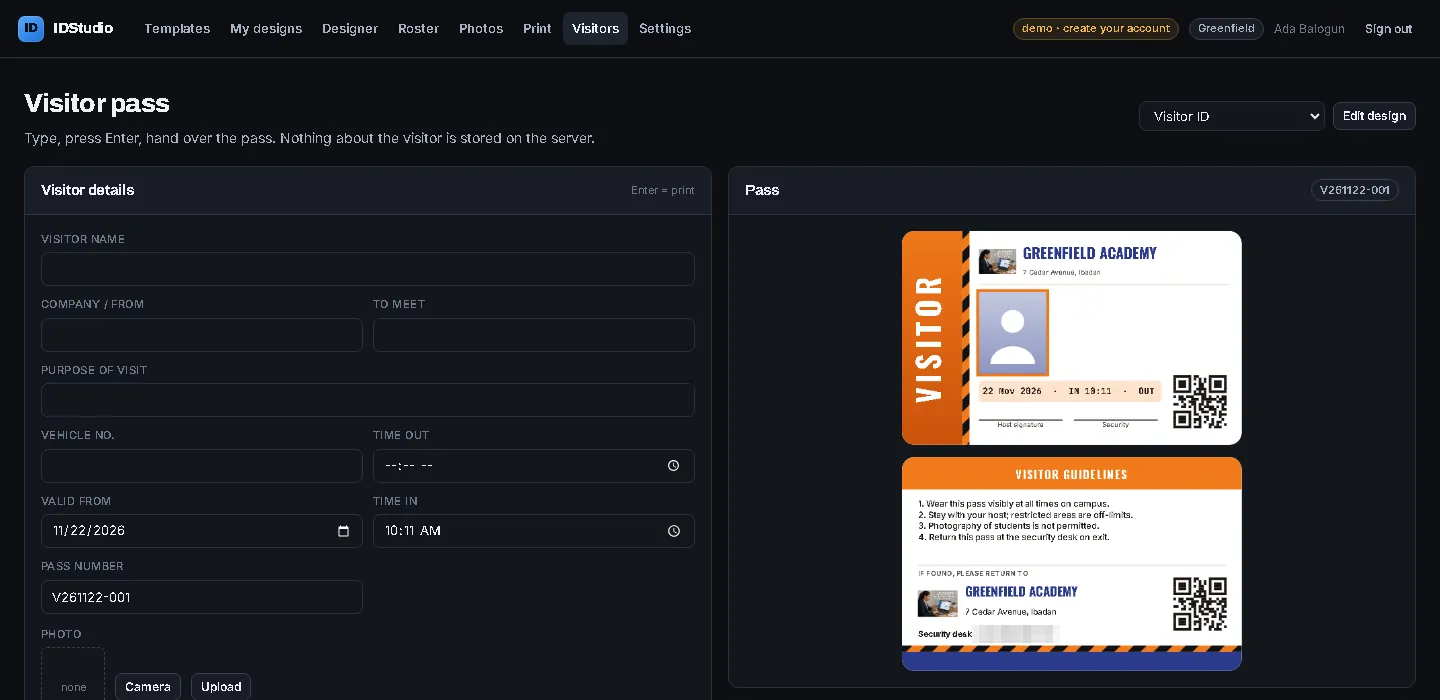
The Visitors page turns the front desk into a pass counter. Type the visitor’s name, who they are meeting and the purpose of the visit, take a photo if you like, press Enter and hand over the pass. Nothing about the visitor is kept on the server.
A login for every job
The person who designs the cards is rarely the person who prints them. IDStudio has separate users: a Designer who makes and publishes designs, a Printer who downloads and prints the published cards and can add or correct a student and photo, and a Viewer who can only look. The principal keeps the design; the print room gets on with the printing.
What it costs
- Free trial: every feature, 5 designs, 2 print runs to check the cards on your own printer, up to 50 students.
- Annual licence: ₹1,900 + 18% GST (₹2,242) a year for one school: 25 designs, unlimited printing and students.
- Design pack: 25 more designs for ₹500 + GST, for the rest of the licence year.
Buy on IDStudio under Settings › Plan, by card, UPI or net banking through Razorpay. The licence switches on the moment the payment goes through: there is no payment ID to type and no waiting for us.
Getting started
- Open IDStudio at idstudio.marvelsoft.co.in and look around the demo school; no sign-up needed.
- Create your school account and add your logo and the principal’s signature.
- Import one class and print two cards on your own printer.
- Buy the licence when the cards look right, and print the rest of the school.
Read more on the ID cards page, see IDStudio on marvelsoft.co.in, or follow the step-by-step how-to on IDStudio.